Run your whole choir from one place.
Rehearsals and attendance, members, dues by Mobile Money, music and messages. Leaders run it on the web and in the app; every singer has it on their phone.
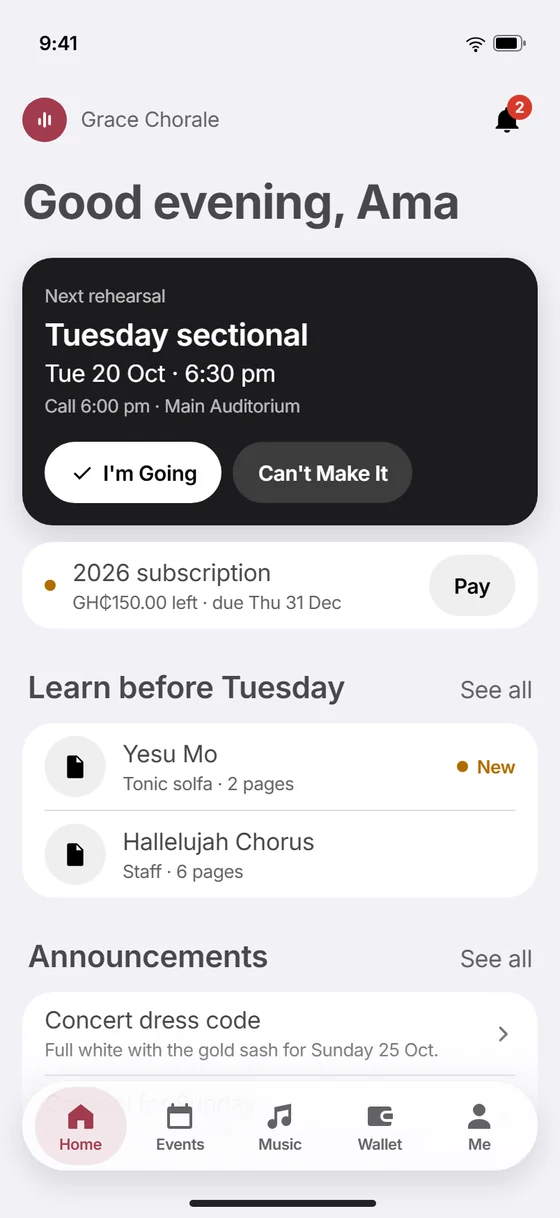
One app for the whole choir
Events, the register, money, music, messages and bookings, in every singer's pocket.
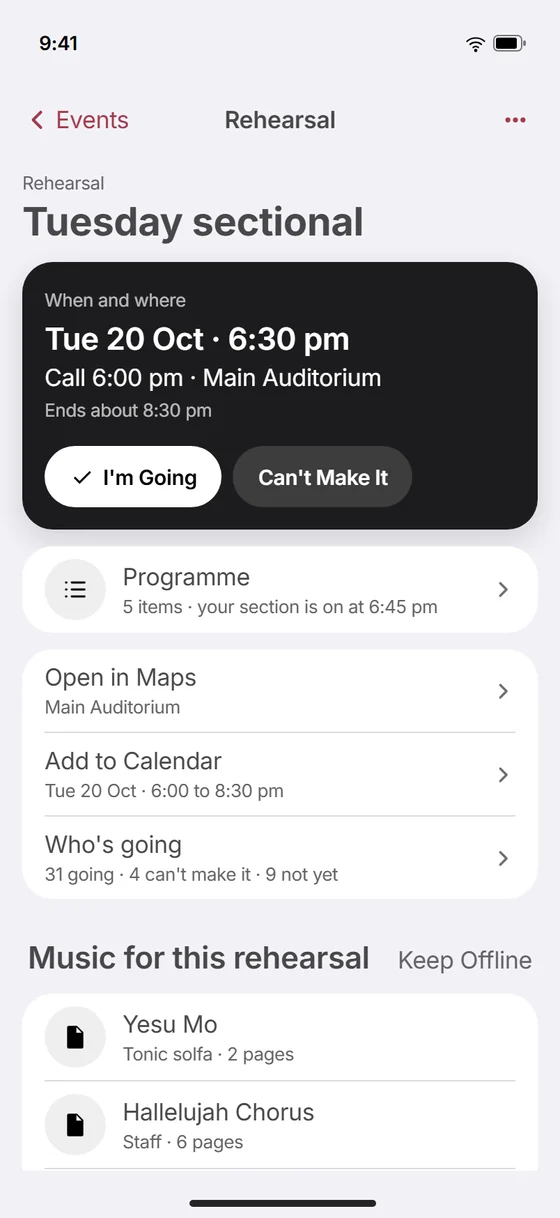
Everyone knows where to be
Rehearsals, services and concerts with the time to arrive and the place. Singers reply from the app; leaders see the count and text whoever hasn't answered.
- Rehearsals made weeks ahead from your rehearsal days
- Expected events, and ones members choose to join
- A reminder the day before, with the arrival time
The register, done in minutes
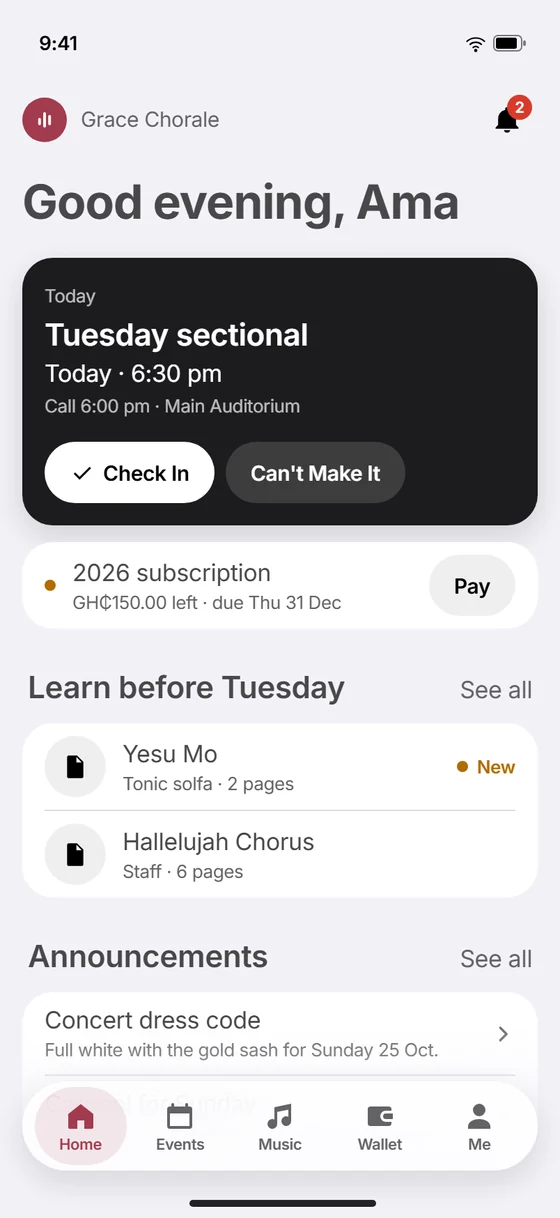
Mark present, late, excused or absent, part by part. It works with no signal, and anyone not marked counts as absent when you finish. Singers can check themselves in when they arrive.
- Saves on the phone and syncs later, never losing a mark
- Excuses approved ahead by the Part Leader and Music Director
- Attendance reports by part, event type and season
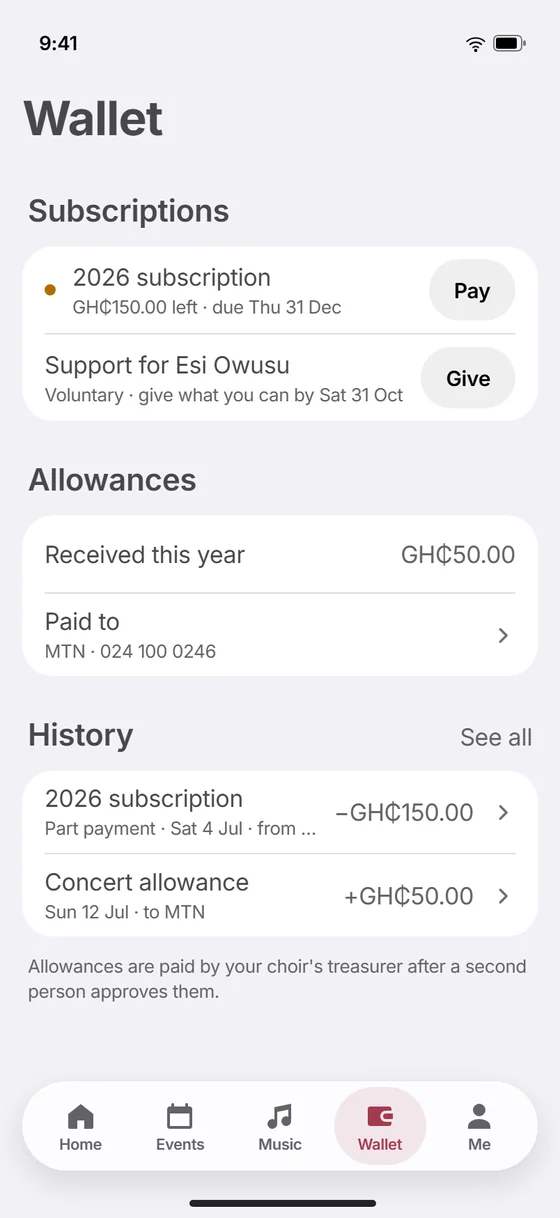
Every cedi, accounted for
Dues paid by Mobile Money in the app or recorded as cash, allowances that need two treasurers, and the choir's account in one place. Members see their own; treasurers see the whole picture.
- Subscriptions with part payments, auto-pay and receipts
- Payouts prepared by one treasurer and approved by another
- Statements and spreadsheets for the year or the quarter
The music, where the singers are
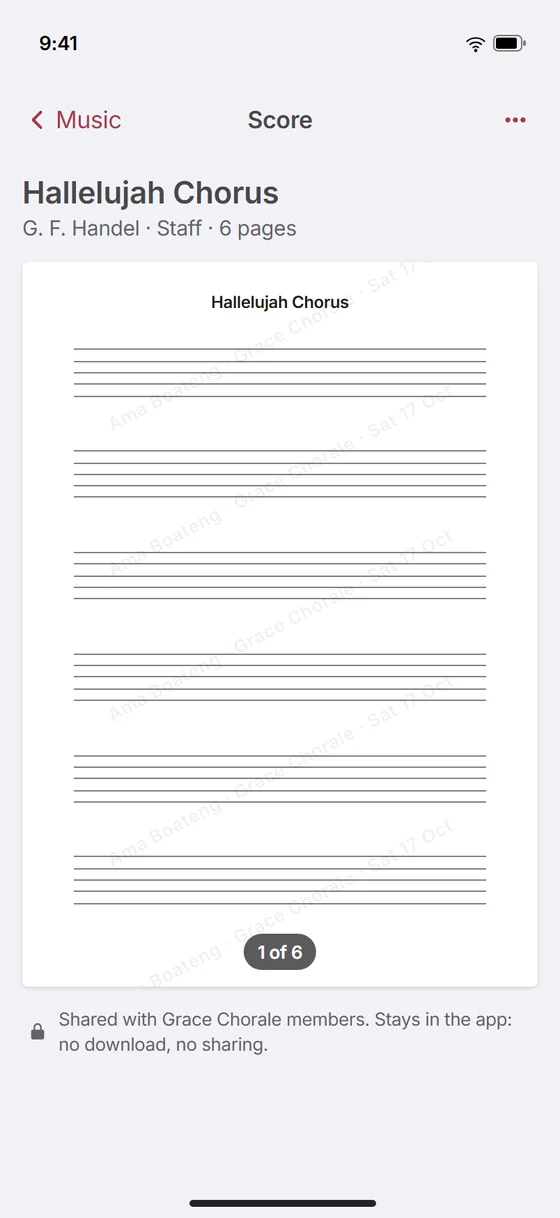
Upload a score once and every singer reads it in the app, watermarked, with no download or printing. Mark what to learn before the next rehearsal, and plan the rehearsal song by song.
- Staff and tonic solfa, shared with the parts that sing them
- Kept on phones for offline use
- Rehearsal plans the Music Director teaches from
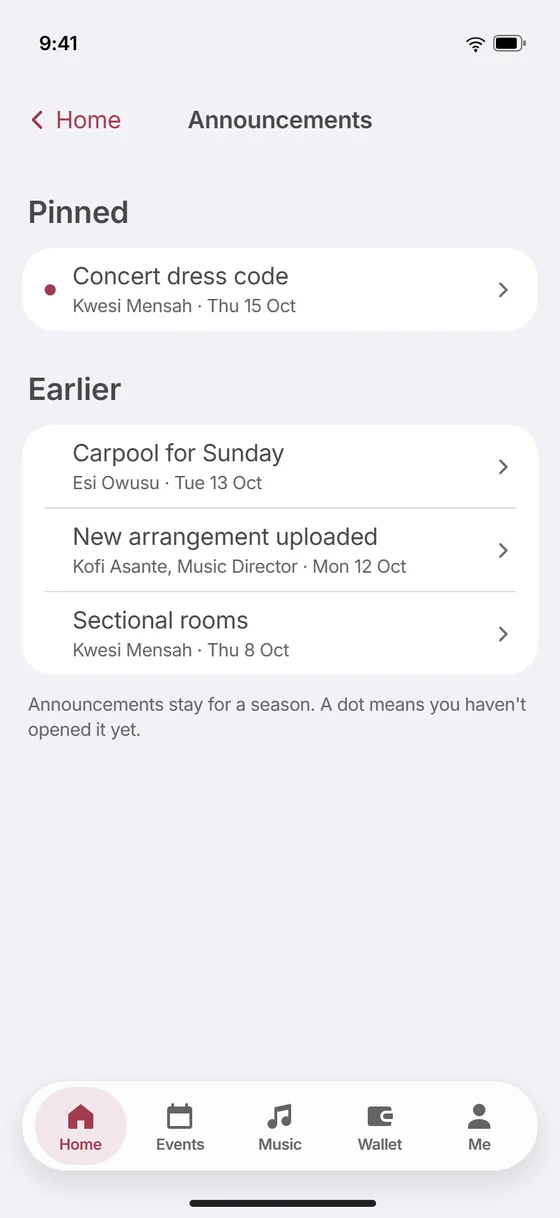
Reach the right people
Announcements land on everyone's Home. Texts go to the whole choir, one part, or whoever hasn't replied, with the number of credits shown before you send and a delivery report after.
- Choir business to everyone, news only to people who said yes
- Contacts and groups for patrons and parents
- Resend to the ones that failed
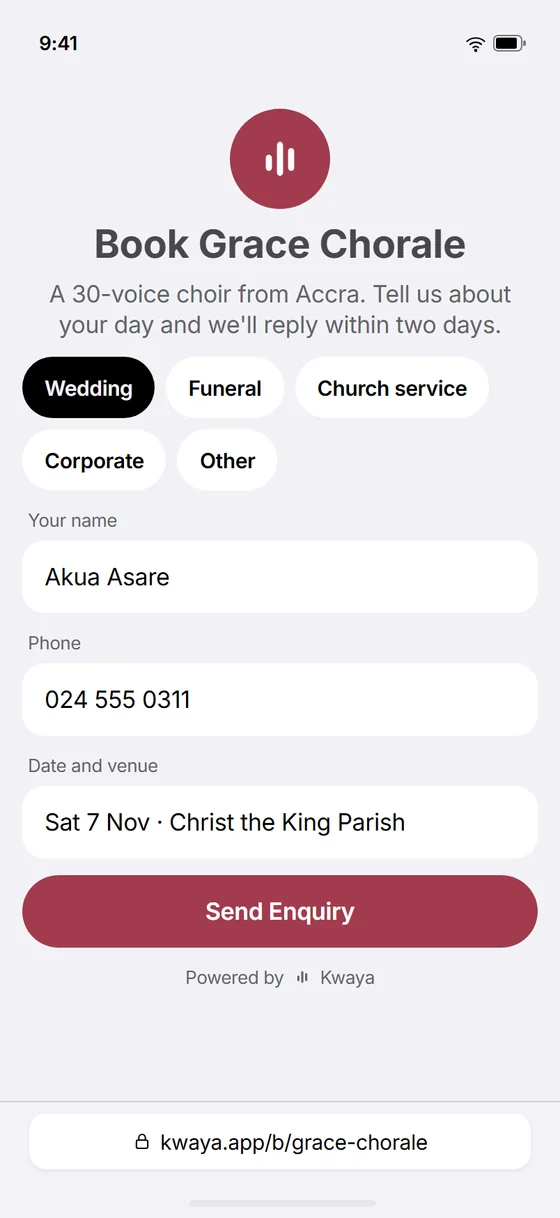
Bookings that pay the deposit
Your choir gets its own booking page for weddings, funerals and events. Send a quote the client accepts online, and take the deposit by Mobile Money.
- Enquiries, quotes and confirmed bookings in one list
- Deposits and balances by MoMo
- The event added to the calendar once it's confirmed
Made for everyone in the choir
Each person sees what their role needs. Roles add up: a treasurer who sings is a member too.
Singers
Everything they need, on their phone.
- Reply or ask to be excused
- Learn the music, offline too
- Pay dues and keep the receipts
Music Directors and Part Leaders
The music and their people, ready for rehearsal.
- Plan rehearsals and teach from the plan
- Take their part's register
- Approve excuses and see who's learned what
Treasurers
Money with nothing left to chase.
- MoMo dues and recorded cash
- Payouts with a second approval
- Reports, statements and exports
Admins
The whole choir, set up and running.
- Members, roles and invite links
- Events, messages and bookings
- The plan, credits and settings
- Two people for moneyNo payout leaves without a second treasurer.
- Eight rolesEveryone sees their part, and only their part.
- Works offlineThe register and the music, with no signal.
- Your recordsMembers, attendance and money export any time.
Your choir on Kwaya, ready for its next rehearsal
We set it up with you. There's nothing to install for leaders, and singers get the app.
- We set it up with youYour choir's name, colour, voice parts and the people who run it.
- Members join from your linkShare it in the group chat. An admin approves each request.
- Run your next rehearsal on KwayaReplies, the register and dues, from the very first week.
Questions
Something else? Write to help@kwaya.app.
Church choirs, community choirs and singing groups: the admins, treasurers, Music Director and Part Leaders who run them, and every singer.
You share your choir's invite link or code, in the group chat for example. Each person signs in with their phone number and asks to join; an admin approves them, and they see the choir's events, music and dues straight away.
Members pay subscriptions by Mobile Money in the app, in one go, in parts or on auto-pay, or a treasurer records cash. Allowances are prepared by one treasurer, approved by another, and sent to each person's MoMo wallet.
Where it matters most. The register is taken on the phone with no signal and syncs when it's back, without losing a mark, and singers can keep their music on the phone.
Scores open only inside Kwaya, watermarked with the singer's name, with no download, printing or sharing. When someone leaves the choir, their copies stop opening.
Each choir has a plan sized to its membership, and texts are bought as credits when you need them. Talk to us for your choir's price.
Yes. Members, attendance and money export to spreadsheets at any time.
Sing in a choir on Kwaya?
Get the app, then sign in with the number or email your choir has for you.